The text from the iconic "Think Different" Apple Commercial is hidden in multiple places in the OS:
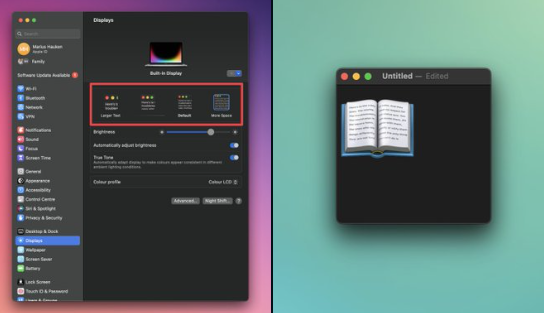
In System Settings > Displays, you can see it when you select zoom size.
If you zoom in on the "open book" emoji, you'll see the text there as well.
The text from the iconic "Think Different" Apple Commercial is hidden in multiple places in the OS:
In System Settings > Displays, you can see it when you select zoom size.
If you zoom in on the "open book" emoji, you'll see the text there as well.
The Bitcoin whitepaper is hidden in every modern copy of macOS.
Fun macOS easter eggs including Bitcoin whitepaper, Think Different text, Clarus the Dogcow, and hidden Terminal commands