- Settings > General > iPhone Storage.
- Scroll & tap on Messages
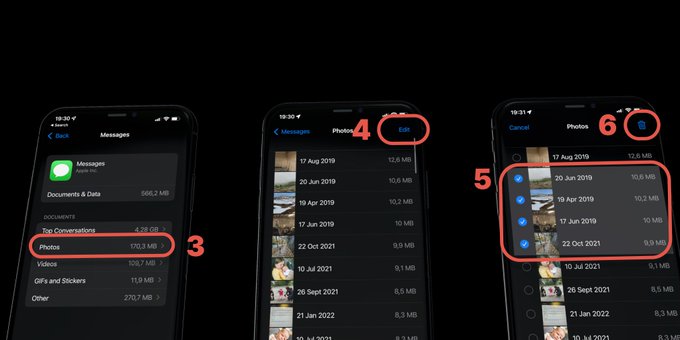
- Select Photos or gifs (NB: Top Conversations will delete entire threads)
- Tap on edit
- Mark what you want to delete
- Tap the trash icon
- Repeat for other content
Remove offline downloads from Netflix and Spotify to free up space.
How to delete apps, clear cache, optimize photos, and manage downloads to free up iPhone storage