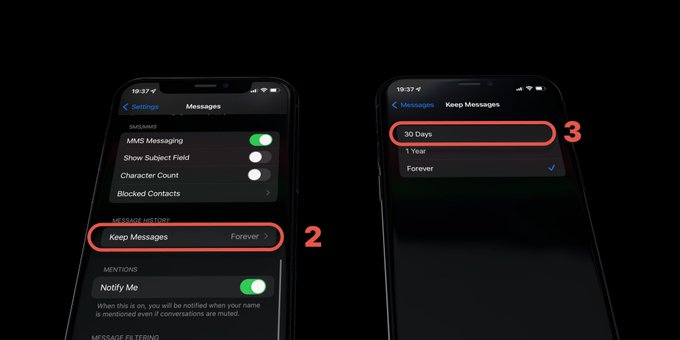
- Go to Settings > Messages
- Tap the Keep Messages option under Message History.
- Select if you'd like your iPhone to retain text messages for 30 days, one year, or forever.
How to delete apps, clear cache, optimize photos, and manage downloads to free up iPhone storage