Master Your iPhone Productivity: 10 Hacks to Boost Efficiency and Save Time
Small changes can make a big impact on your time management. Start with these 10 iPhone hacks to 3x your productivity:
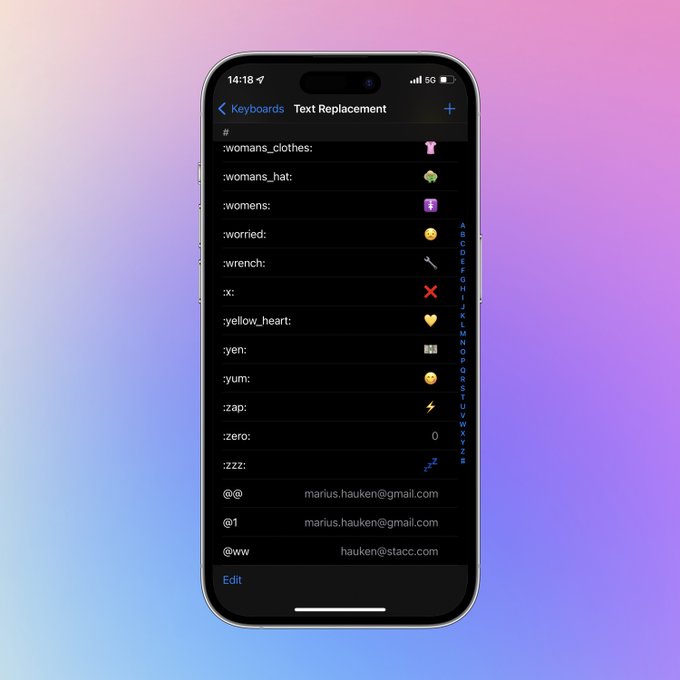
1. Set up Text Replacement shortcuts
Go to Settings > General > Keyboard > Text Replacement
I use: • @@ for my private email • work@ for work email • feedbin@ for my @feedbin mail • ,## for my phone number • Shorthand for many emojis
2. Restrict certain apps
By using screen time, you can restrict how much time you use on certain apps. Make someone else set up the password to enforce the restrictions.
- Go to Settings > Screen time
- App Limits and «Add limit»
- Get someone else to set your password
3. Delay opening apps
Delay opening apps that you don’t want to spend time using to be intentional about the usage:
- Download the app «One sec»
- Follow the instructions in the app to set it up
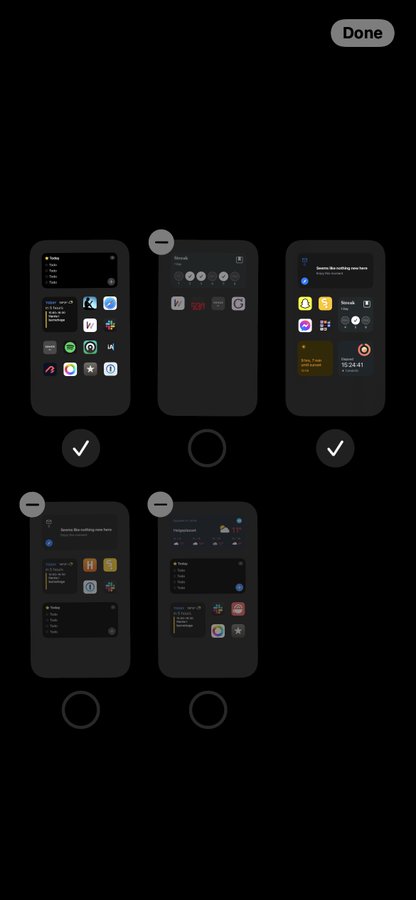
4. Different home screens
Set different home screens based on time of day or location:
Did you know that you can set different home screens in iOS depending on the time of day or your location? Here is how you do it
5. Put your iPhone in grayscale
By doing this, you’ll immediately spend less time on your phone:
- Settings > Accessibility
- Select Display & Text size
- Tap on Color Filters
- Turn Color Filters on
6. Hide content slot machine apps
Hide apps that constantly refreshes with new content:
- Long-hold on the app you want to hide
- Click «Remove app»
- Click on «Remove from home screen»
7. Schedule your notifications
Unnecessary notifications distract your focus. Turn them off by:
- Go to Settings > Notifications
- Select Scheduled Summary and turn it on
- Select which apps you want summaries for
8. Set your phone permanently on do not disturb
You can still allow certain people to interrupt you or wake you up by turning on «Allow Calls From Favorites»:
- Go to Settings > Focus
- Do Not Disturb
- Turn on every day from 9-9
- Allow calls from favorites or select apps
9. Turn off Raise to Wake
Raise to Wake lets you quickly see notifications on your lock screen every time you lift up your phone, which is not optimal for focus.
- Go to Settings > Display & Brightness
- Turn off Raise to Wake
10. Block certain websites
- Go to Settings > Screen Time
- Tap Content & Privacy Restrictions and turn on
- Select Content Restrictions
- Select Web Content and then «Limit Adult Websites»
- Add websites you want to block under «Never Allow»
