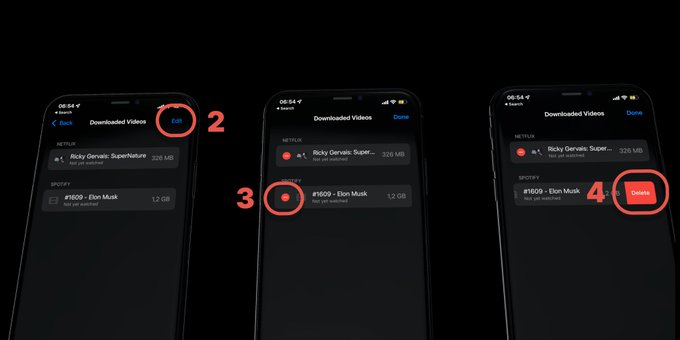
- Go to Settings > General > iPhone Storage > Review Downloaded Videos
- Click edit
- Click the red dot that appears next to the video
- Click delete on the videos you don't want
Clear Safari history and website data to remove cached clutter.
How to delete apps, clear cache, optimize photos, and manage downloads to free up iPhone storage