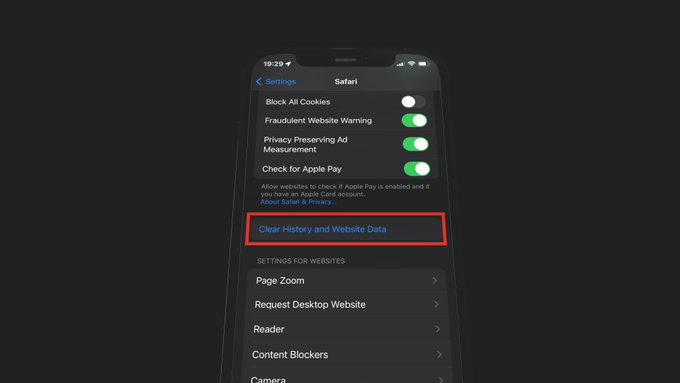
- Go to Settings > Safari
- Scroll down and click on "Clear History and Website Data"
This is a bit tedious since most apps don’t give you access to their cache or other data: 1.
How to delete apps, clear cache, optimize photos, and manage downloads to free up iPhone storage