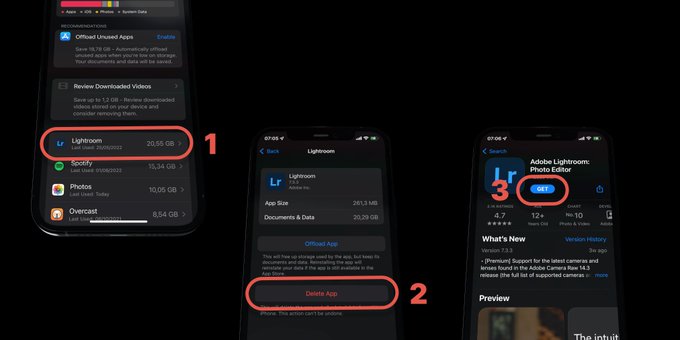
This is a bit tedious since most apps don’t give you access to their cache or other data:
- Go to Settings > General > iPhone Storage, and tap on an app at the top of the list.
- Select Delete App
- Go to the App Store and reinstall the app.
This is a bit tedious since most apps don’t give you access to their cache or other data:
Remove large photos and files from Messages to reclaim storage.
How to delete apps, clear cache, optimize photos, and manage downloads to free up iPhone storage