These pre-installed apps take almost 4 GB from your phone:
- GarageBand
- Keynote
- iMovie
- Pages
- Numbers
- Go to Settings > General > iPhone Storage
- Select each app you don't use and click "Delete App"
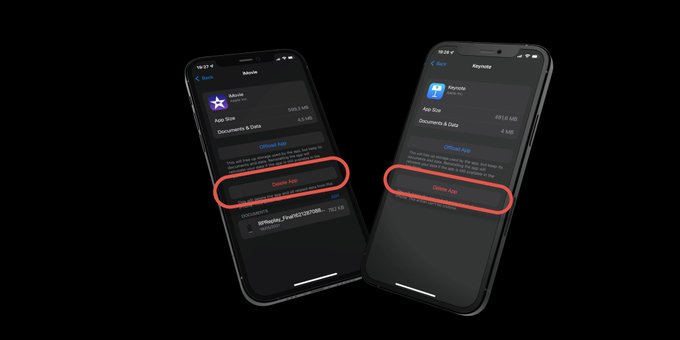
These pre-installed apps take almost 4 GB from your phone:
Free up memory with AssistiveTouch and the power menu shortcut.
How to delete apps, clear cache, optimize photos, and manage downloads to free up iPhone storage