How to automatically offload unused apps

  1. Go to Settings > General > iPhone Storage
  2. Tap Enable Offload Unused Apps

You can also go into an app and offload it.

This way, your iPhone automatically uninstalls apps you don’t use. They aren’t entirely gone: They download again when you open them.
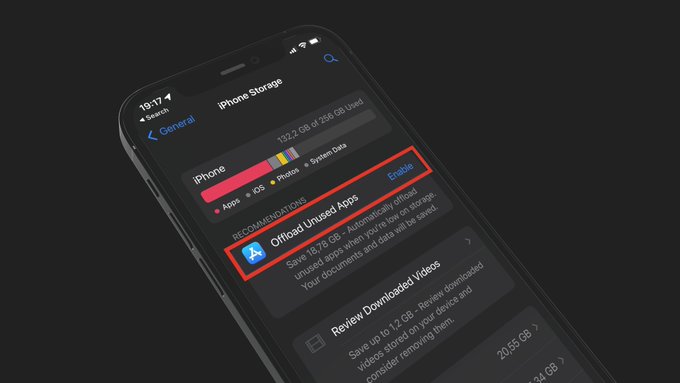
Offload Unused apps
NEXT TIP

How to Delete pre-installed apps you don't use

Remove unused Apple apps like GarageBand and Keynote to reclaim nearly 4 GB.

TIP FROM

10 Ways to Free Up iPhone Storage Space

How to delete apps, clear cache, optimize photos, and manage downloads to free up iPhone storage