- Sign in to your iCloud account. It’s the same as your Apple ID.
- Settings > Photos
- Turn on iCloud Photos
- You can also tap "Optimise iPhone Storage"
Your photos will now be synced to iCloud. (Free up to 5GB)
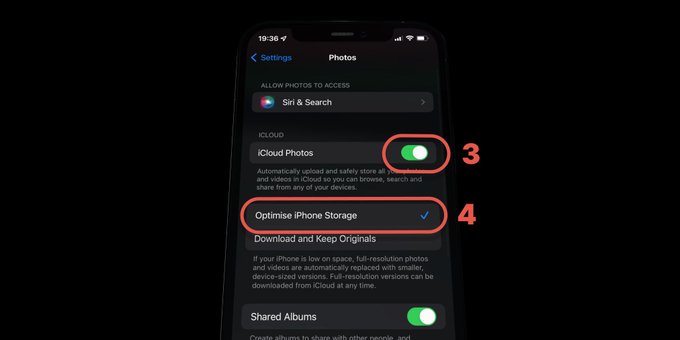
Your photos will now be synced to iCloud. (Free up to 5GB)
Automatically remove older texts so message threads stop filling storage.
How to delete apps, clear cache, optimize photos, and manage downloads to free up iPhone storage